iOS Environment Settings
Configure XCode environment to enable Apple ID.
Enable Sign In With Apple
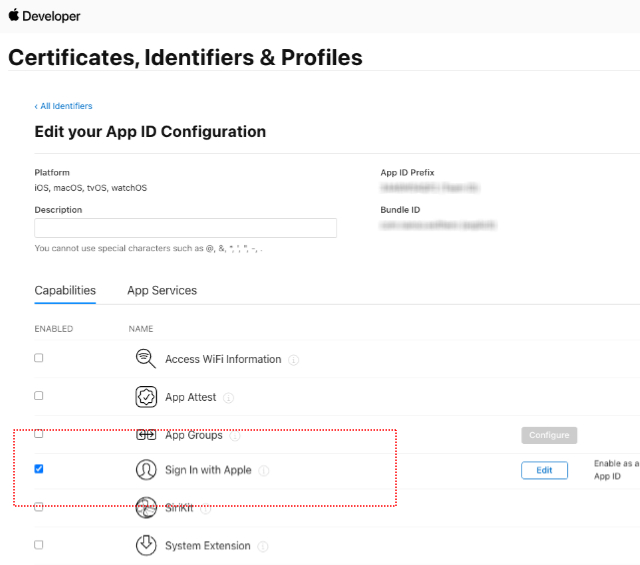
- Enable the Sign In with Apple service for the relevant project in Certificates, Identifiers & Profiles > Identifiers on the Apple developer page.
XCode Build Environment Settings
- Select Signing & Capabilities in the XCode project.
- Add Sign In with Apple to the service.


- Add AuthenticationServices.framework to Frameworks and Libraries.

