iOS Configuration
Configure the XCode environment to enable Apple ID.
Enable Sign In With Apple
- On the Apple Developer page, enable the Sign In with Apple service for the project under Certificates, Identifiers & Profiles > Identifiers.
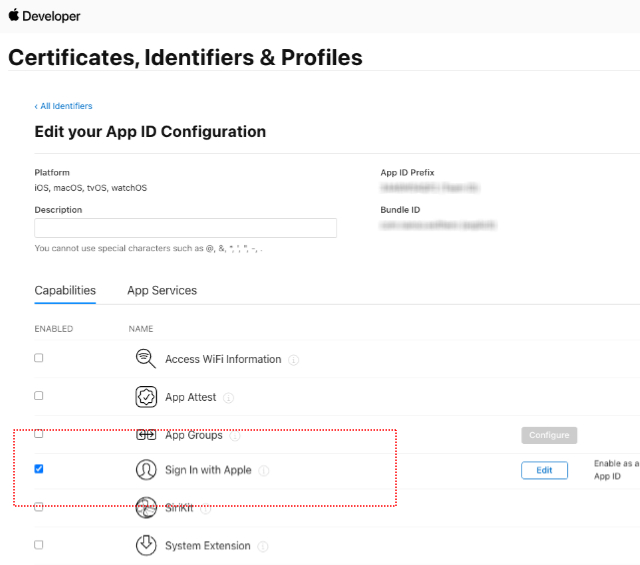
XCode Build Environment Setup
- Select Signing & Capabilities in the XCode project.
- Add Sign In with Apple to the service.


- Add AuthenticationServices.framework in Frameworks and Libraries.

