Item Code Settings
Register and manage unique codes for in-game items. Item codes are a code system for identifying game items, used across various PlayNANOO features when referencing items.
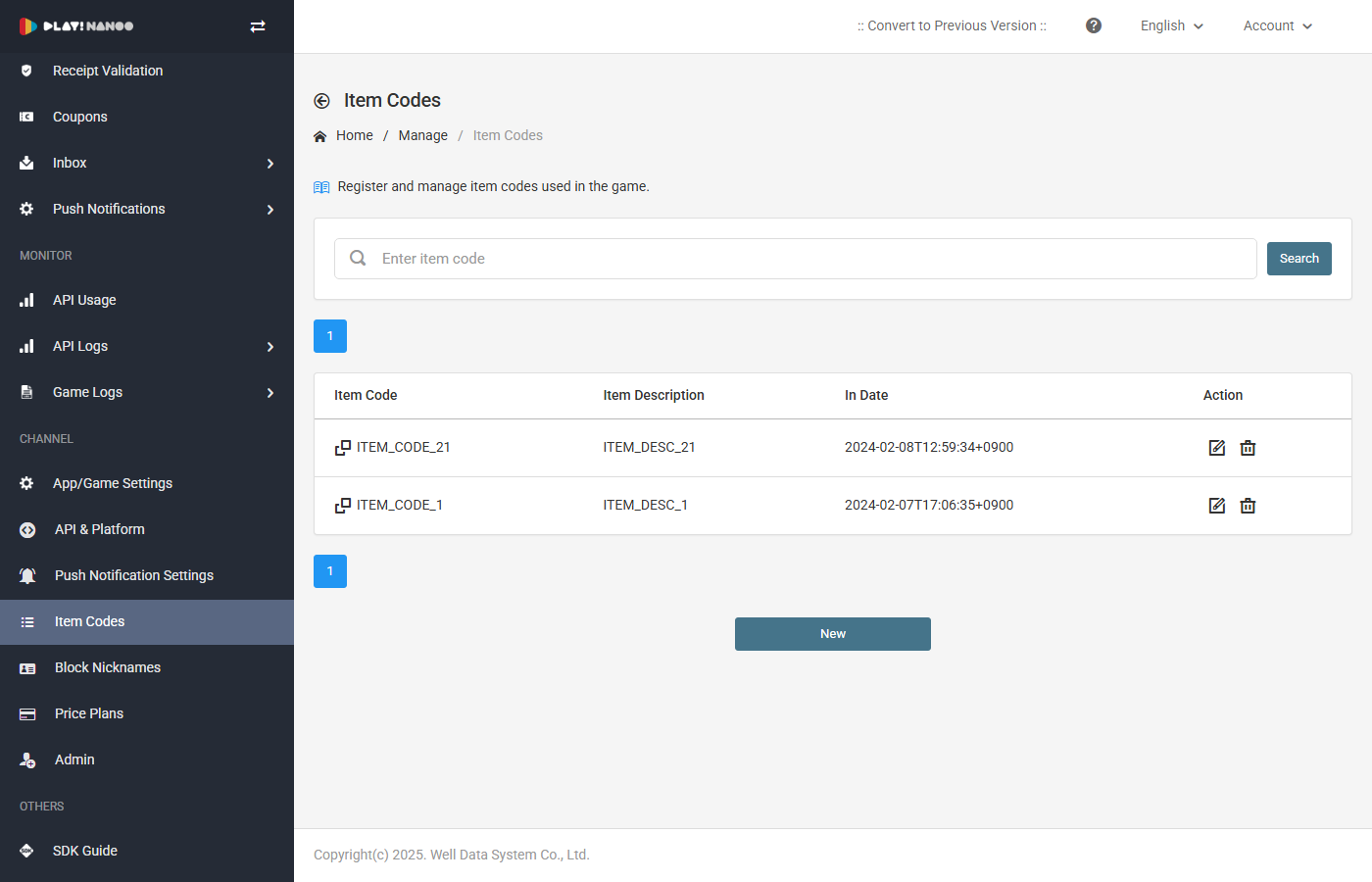 Consists of Item Code Registration and CSV Bulk Upload tabs.
Item codes must be registered with the same identifier used in your game client. Registered item codes are shared across features that require item distribution, such as inbox delivery, inbox scheduling, and coupon rewards.
Use Cases
Once item codes are registered, they can be used in the following features:
- Inbox Delivery: On the Inbox page, you can send items to specific players by selecting registered item codes with quantities. Up to 100 players can receive items simultaneously, and bulk delivery is also available via CSV upload.
- Inbox Scheduling: On the Inbox Scheduling page, you can expose items to all players using various scheduling methods such as immediate delivery, scheduled delivery, and recurring delivery.
- Coupon Rewards: On the Coupon page, item codes are used to configure reward items that are granted when a coupon is redeemed.
Item Code List
Search and manage registered item codes.
| Column | Description |
|---|---|
| Item Code | Unique code of the item (clipboard copy available) |
| Item Description | Description of the item |
| Registration Date | Date the item code was registered |
| Actions | Edit, Delete buttons |
Register/Edit Item Code
| Field | Description |
|---|---|
| Item Code | Enter the unique code for the item. (Required, alphanumeric only, max 50 characters) Must match the item identifier used in your game client. |
| Item Description | Enter a description for the item. (Required, max 50 characters) Used for management purposes and is not displayed in-game. |
CSV Bulk Upload
Register item codes in bulk via CSV file. Useful when you need to register a large number of item codes at once.
Download the CSV template file and fill it out according to the format before uploading. If an item code already exists, it will be overwritten.