Delivery History
This feature allows you to view the history of sent push messages.
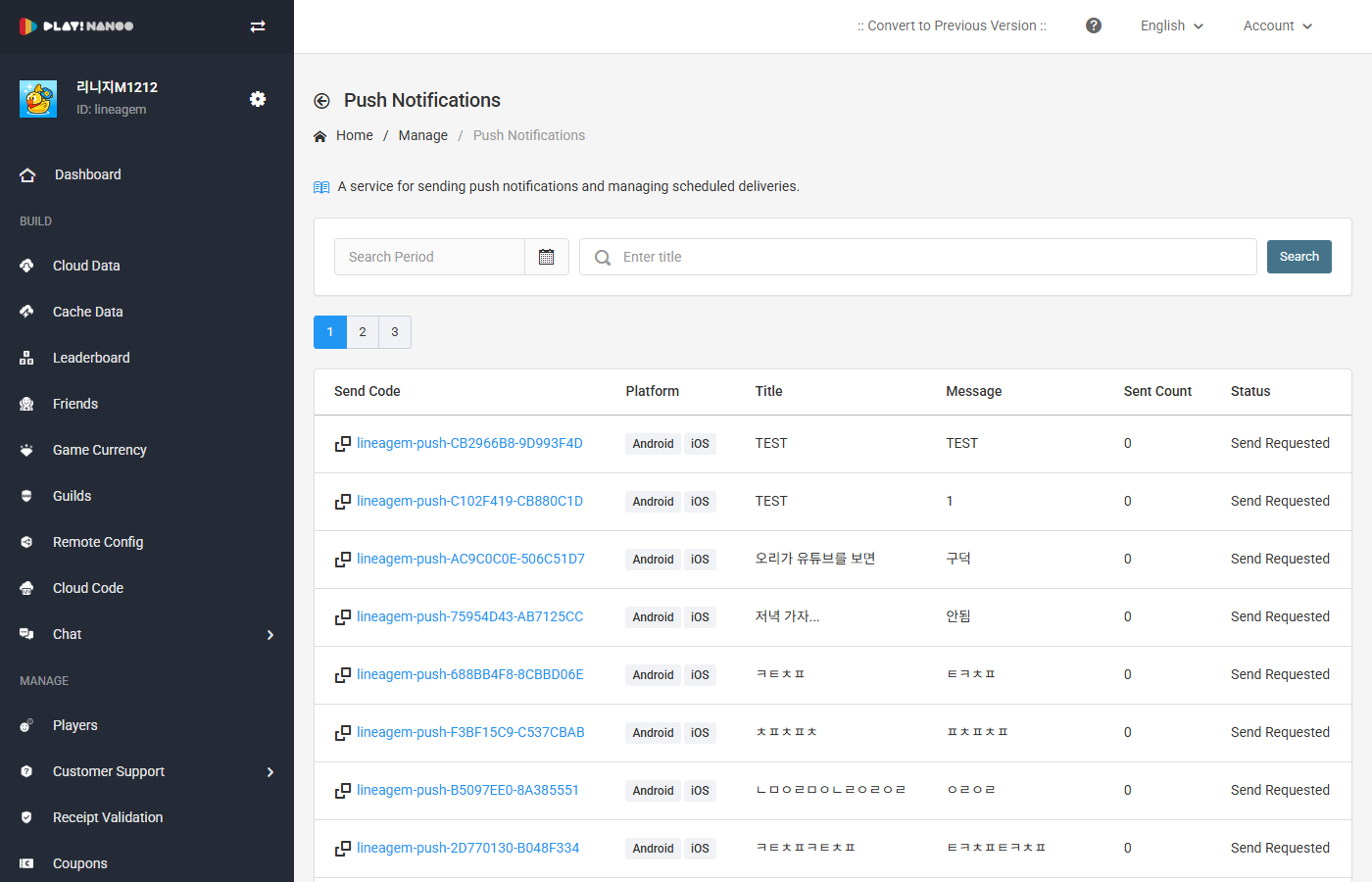
Message List
You can view the list of sent push messages. You can search by date range and delivery code using the search area at the top.
The message list table consists of the following fields.
| Field | Description |
|---|---|
| Delivery Code | Displays the unique code of the delivery. Clicking it navigates to the delivery detail screen. Provides clipboard copy functionality. |
| Platform | Displays the target platform for delivery. (Android, iOS) |
| Title | Displays the title of the push message. |
| Message | Displays the content of the push message. |
| Sent Count | Displays the number of successfully sent messages. |
| Status | Displays the delivery status. (Send Requested, Sending, Send Completed) |
| Delivery Date | Displays the date the message was sent. |
| Actions | Provides copy functionality. |
Delivery Detail
Clicking the delivery code navigates to the delivery detail screen. In the delivery detail, you can view the delivery result dashboard, configuration information, and message information.
Delivery Information Dashboard
The delivery results are summarized in the following fields.
| Field | Description |
|---|---|
| Target Recipients | Displays the number of players selected as delivery targets. |
| Send Success | Displays the number of players who successfully received the message. |
| Send Failure | Displays the number of players for whom message delivery failed. |
Configuration Information
You can view the configuration information set at the time of delivery.
| Field | Description |
|---|---|
| Code | Displays the unique code of the delivery. |
| Send Countries | Displays the target countries for delivery. |
| Excluded Countries | Displays the countries excluded from delivery. |
| Platform | Displays the target platform for delivery. |
| Request Time | Displays the time the delivery was requested. |
Message Information
You can view the title and message content configured per language.
info
You can create a new message delivery with the same settings using the Copy button.