Compose Message
This feature allows you to compose and send a new push message.
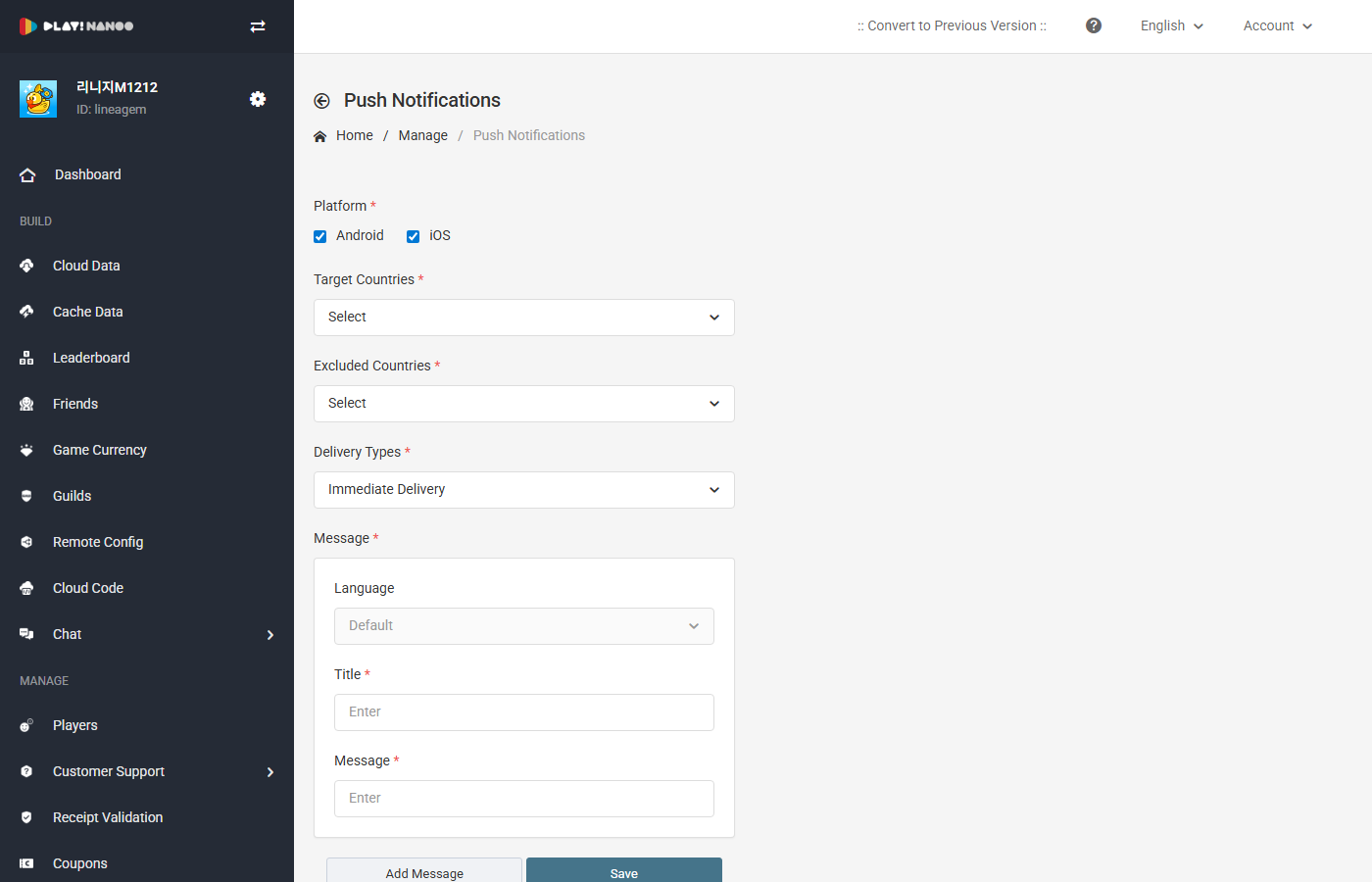
Input Fields
The following fields are configured when composing a message.
| Field | Description |
|---|---|
| Platform | Select the platform to send the message to. (Multiple selection available: Android, iOS) (Required) |
| Send Countries | Select the target countries to send the message to. You can select all countries or individual countries. (Required) |
| Excluded Countries | Select countries to exclude from message delivery. |
| Scheduling Settings | Select the delivery method. (Send Immediately, Scheduled Send, Recurring Send) (Required) |
| Message Language | Set the language of the message. The default language is automatically selected. |
| Message Title | Enter the title to be displayed in the push notification. (Required) |
| Message Content | Enter the message content to be displayed in the push notification. (Required) |
Platform
Select the target platform to send the message to. You can select Android and iOS individually or simultaneously.
Push message delivery will be restricted if the push token is not saved or if message reception has been declined.
Send Countries and Excluded Countries
Use country settings to send messages to players in specific countries. You can select individual countries to send messages. Alternatively, you can set the send country to all countries and then individually select excluded countries.
Players in the countries selected as excluded will be restricted from receiving messages.
Scheduling Settings
Three types of scheduling are provided.
Send Immediately The message is sent immediately upon completing the settings.
Scheduled Send The message is automatically sent when the specified timezone and time are reached. You can set the timezone and scheduled time.
Recurring Send The message is automatically sent when the configured time and send cycle conditions are met. You can set the start time, end time, and repeat interval.
Repeat Interval
The following repeat intervals can be selected for recurring send.
| Interval | Description |
|---|---|
| Daily | Messages are sent at the configured time every day. |
| Weekly | Messages are sent on the selected days of the week (Mon-Sun). Multiple selection is available. |
| Monthly | Messages are sent on the selected dates (1st-31st). Multiple selection is available. |
Message
Register messages to be displayed in push notifications. The default language message is automatically set.
You can compose messages in various languages using the Add Message button.