Reservation Settings
This explains the inbox reservation settings. The inbox reservation settings provide the ability to pre-schedule and configure reward items to be provided to players.
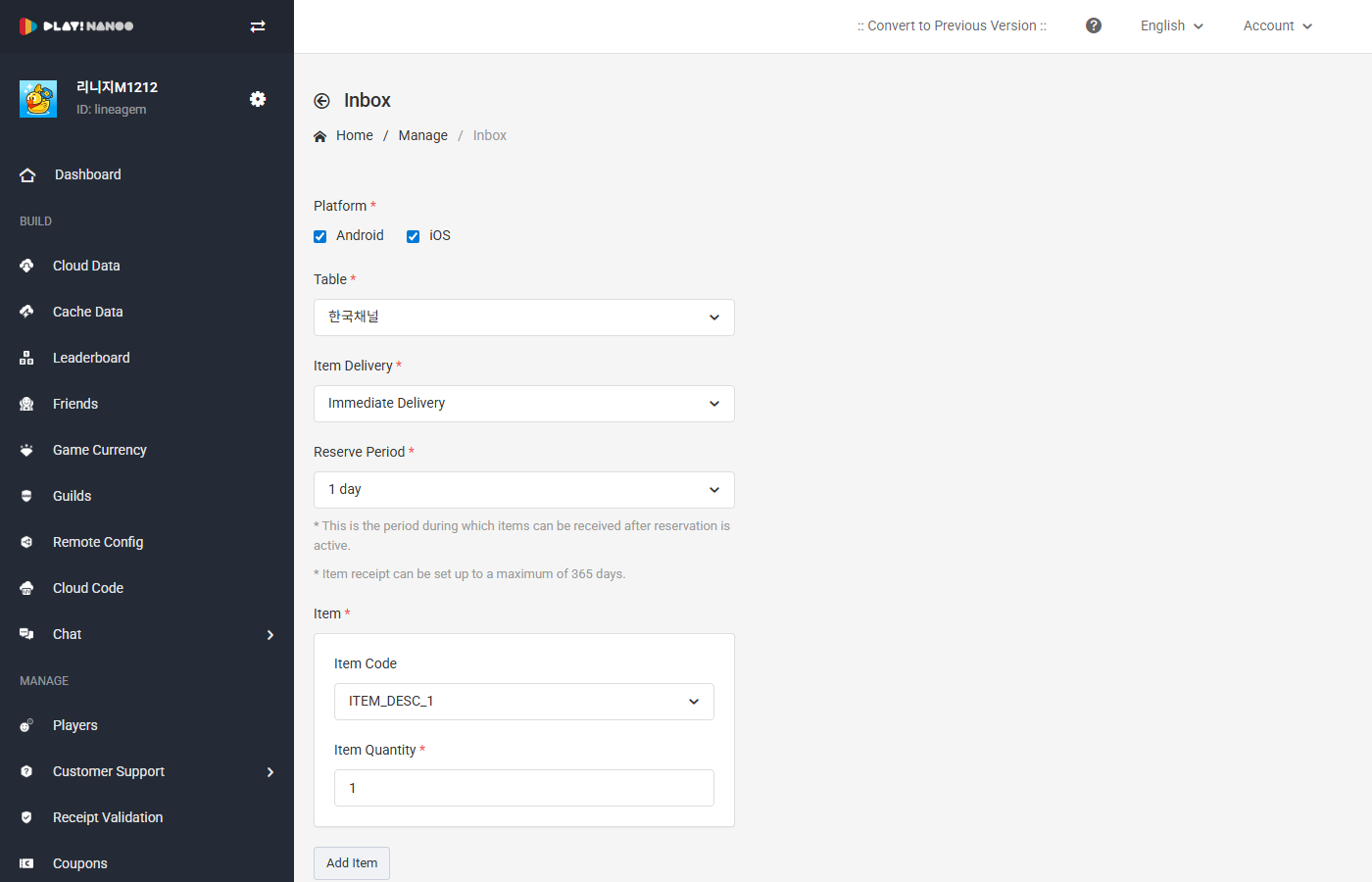
Items in the inbox scheduling system are displayed to all players, not directly granted to them.
Platform
The inbox items will be displayed to players on the configured platform.
Reservation Settings
The inbox provides 3 types of scheduling.
Send Immediately Items are displayed to users immediately upon completing the settings.
Scheduled Send Items are automatically displayed to users when the configured time is reached after completing the settings.
Recurring Send Items are automatically displayed to users when the configured time and send interval conditions (daily, weekly, monthly, etc.) are met.
Display Retention Period
The display retention period refers to the duration for which the scheduled item is displayed to users. If the retention period is set to 1 day, the item display will be automatically restricted 1 day after the item display start time. On the other hand, if set to 7 days, the item display will be maintained for 7 days.
Please note that if the item display retention period is set to N days, the item may also be displayed to new or returning players.
Message
Register messages to be provided with the inbox items. You can write messages for various countries using the Add Message feature.
Push Notification Settings
You can send push messages when scheduling inbox items. Push messages are automatically configured when the inbox scheduled time is reached.